Monitor
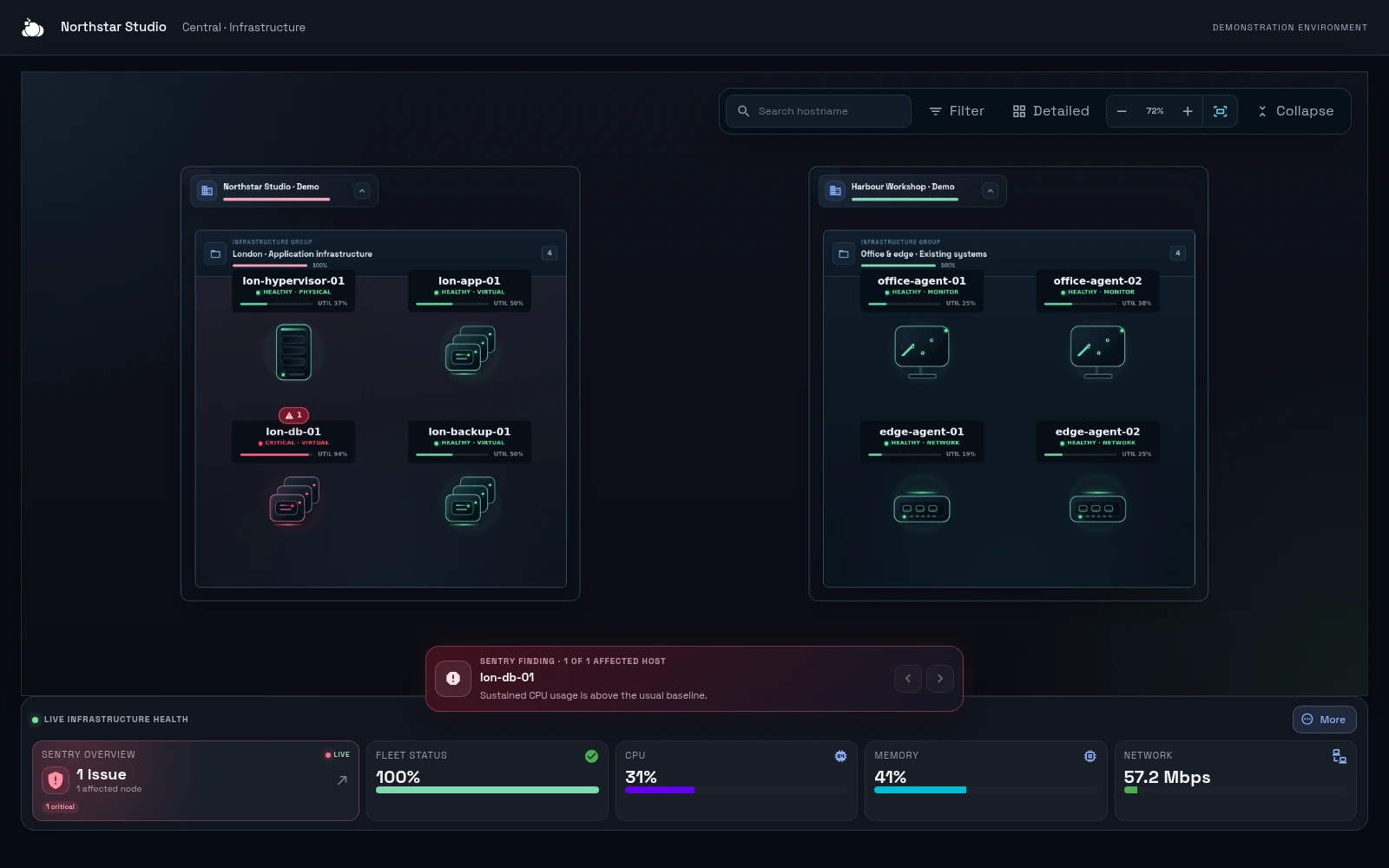
Review device health, inventory, performance history and available activity. See monitoring in action.
One platform for businesses, IT teams and service providers to manage servers, devices and private infrastructure. Keep your existing hosting and bring visibility, access and connectivity together.
When a system needs attention, find it in Central, inspect its health and open an authorised management tool. Group devices by organisation and location so your team can find the right machine across a distributed environment.
Review device health, inventory, performance history and available activity. See monitoring in action.
Use supported remote desktop, terminal, SSH service paths and management interfaces. Explore access options.
Create private device-to-device and infrastructure connections to approved services. See private networking.
Manage Windows and Linux backups and recovery tools. The agent detects when a snapshot is needed; backup consumption is billed separately. Explore backup.
Connect physical servers, business PCs and virtual machines. Windows GUI builds support Windows 10+ and Windows Server 2016+. Linux includes headless and GNU builds for x86-64 and ARM. Available actions depend on the agent and your permissions. Check supported platforms.
Starter £10/month for up to 5 devices; Team £29 for up to 10; Business £69 for up to 25; Business+ £129 for up to 50; Scale £249 for up to 100. More than 100 devices: custom pricing. All prices are monthly and exclude VAT. All Central software features and unlimited authorised users are included. Each separately enrolled host or VM counts as a device. Prices exclude VAT.
Standard connectivity includes normal monitoring, administration and interactive remote access. Continuous high-volume transfer, large-scale replication, dedicated capacity or specialist connectivity may require separate pricing, agreed for that requirement. Backup consumption, storage, cloud resources and managed work are charged separately.
Supported paths use outbound agent connections. You do not normally need to expose an inbound management port to the public internet. Local services still need suitable firewall rules, credentials and permissions. If outbound access is restricted, use the requirements supplied in Central.
Operate Central yourself or with your existing IT provider. Add DC Core managed services when you want us to maintain systems or respond to issues. The Central subscription does not include human support, maintenance or incident response for your infrastructure.
Explore the platform architecture · Server management · Plan a distributed deployment
Explore the differences in device management, connection paths and operational responsibility.